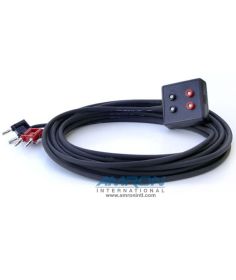



Amron Entertainment Double Lock Chamber Communicator REFERENCE ONLY

This item number has been replaced by 2820A-03
>
This item number has been replaced by 2820A-03
Features:
Specifications:
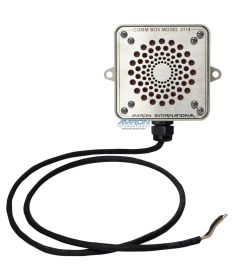
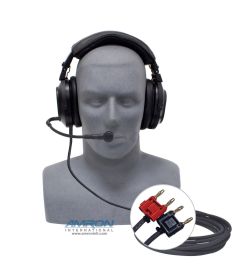
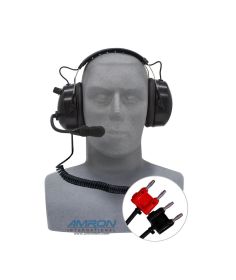
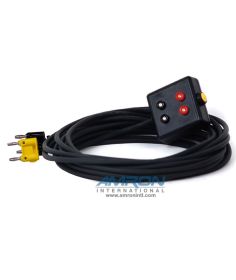
Double Lock Chamber Communicator - P/N: 2820A-4003E Includes:
Tech Note: All communicators will transfer topside noise to the diver when using the radio speaker only. To eliminate background noise and achieve clear concise communications, use a Push-to-Talk microphone, headset, or a Remote Walk-and-Talk with a headset. 2 and 3 Year Extended Warranties are available for this product. Please refer to the Attachments tab for further information on the warranty programs. DISCLAIMER NOTICE: Amron's chamber communications are designed to be used in air chambers where oxygen concentrations remain below 23.5%. Our communications products (including communicators, speakers, entertainment systems, and other communications accessory items) are NOT designed for oxygen service, are not intrinsically safe, and do not meet the criteria given in NFPA-99, Chapter 20 and other applicable definitions. Misuse of our chamber communicator products in high-concentration Oxygen environments may result in serious injury and/or death. |
This item number has been replaced by 2820A-03
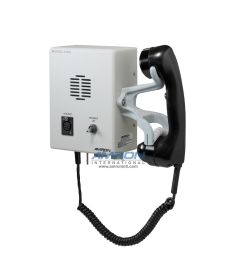
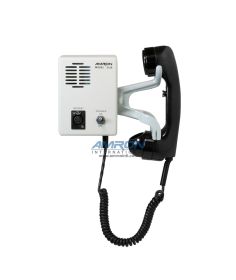
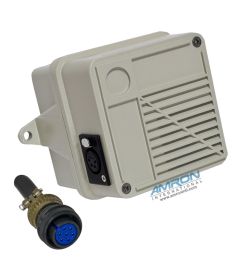
The Amron International Amcom ™ II 2820A-4003E Entertainment Double Lock Chamber Communicator is a full feature hard wire, two lock communicator system with integrated entertainment audio amplifier. The Amcom ™ II has independent volume controls (operator, inner lock, and outer lock), as well as separate on/off controls for each lock.
DISCLAIMER NOTICE: Amron's chamber communications are designed to be used in air chambers where oxygen concentrations remain below 23.5%. Our communications products (including communicators, speakers, entertainment systems, and other communications accessory items) are NOT designed for oxygen service, are not intrinsically safe, and do not meet the criteria given in NFPA-99, Chapter 20 and other applicable definitions. Misuse of our chamber communicator products in high-concentration Oxygen environments may result in serious injury and/or death.
ATTACHMENTS

FAQ's
Battery Replacement Procedure for Models 2820A-4003 & 2820A-4003E
1. Remove 4 ea. screws that attach 2820A-4003E to console.
2. Slide unit out of console cut-out and disconnect Power cord, MS connector & entertainment connector located on rear of unit.
3. Remove 2 ea. screws located on both sides of unit, total 4 ea. screws.
4. Remove Battery box chassis from card box.
5. Disconnect color coded battery slide terminals from battery.
6. Remove old battery.
7. Install new battery.
8. Install color coded battery slide terminals on battery making sure that red wire connects to red (+) terminal on battery and black wire connects to the black (-) terminal on battery.
9. Install chassis to card box being careful not to pinch or damage any wires.
10. Install 2 ea. screws located on both sides of unit, total 4 ea. screws.
11. Slide unit in console cut-out and connect power cord, MS connector & entertainment connector located on rear of unit.
12. Install 4 ea. screws that attach 2820-4003E to console.
13. Turn unit on and check for proper operation.
When operating your Amron Diver Communicator on AC, it is critical to use a Ground Fault Circuit Interrupter (GFCI) or isolation transformer for tender and diver safety. Surges and spikes are common on AC lines found on ships, generated locally, or at the end of long extension cable runs and can exceed 1kVolt. Such surges and spikes can cause the fuse to blow on the amplifier card assembly. The power supply is designed so that such a failure will be isolated and will not cause a safety issue to the tender or divers. It is strongly advised that your Amron Diver Communicator be operated on an AC circuit with a high quality surge arrester or an AC isolation transformer.
Amron International Customer Service
We respond to most inquiries within 24 hours, Monday – Friday, excluding holidays.Phone
Toll-Free: (877) 462-6700Local & International: (760) 208-6500
Fax: (760) 599-3857
Hours of Operation
Customer ServiceMonday - Friday, 8am – 5pm Pacific Time Zone
Warehouse/Will Call Orders
Monday – Friday, 9am – 3:30pm Pacific Time Zone