



Amron Two-Diver Standard Portable Communicator REFERENCE ONLY

This item number has been replaced by 2820A-11

This item number has been replaced by 2820A-11
NEWLY DESIGNED ENHANCEMENTS:• High Audio Fidelity • Extended Battery Operation Time • Flexible Gain Settings • Ultra-Low Electromagnetic Interference (EMI) FEATURES:
SPECIFICATIONS:
INCLUDED WITH COMMUNICATOR:
AMCOM II 2820A-01 Two Diver Standard Rechargeable Portable Communicator includes:
AVAILABLE OPTIONS:
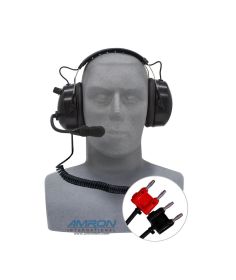
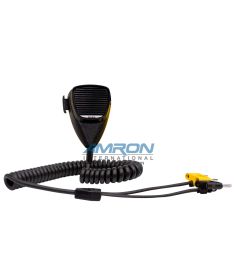
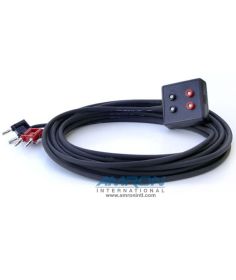
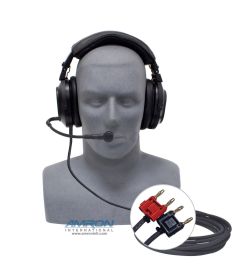
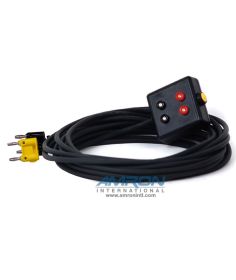
TECH NOTE:All communicators will inherently transfer topside noise to the divers when the tender speaks directly into the communicator’s panel speaker. To eliminate background noise at the surface, we recommend purchasing the 2405-28 Push-to-Talk Microphone (not included with this model). For optimum communications, it is recommended to use the 2401-28 Deluxe Headset with Boom Mic, topside. For tender maneuverability, use the 2401-28 Deluxe Headset with Boom Mic along with the 2822-28 Remote Walk-and-Talk (4-wire mode) or the 2821-28 Remote Walk-and-Talk (2-wire mode). For wireless tender communications, order the 2825A-03 Two Diver Deluxe Portable Communicator with built-in Wireless Tender option. |
This item number has been replaced by 2820A-11
The AMCOM™ II 2820A-01 Two-Diver Standard Portable Communicator features a single channel and one volume control for both diver’s uplink and downlink communications to and from the tender. [1]
The newest version of the AMCOM™ II has the same user-interface, rugged durability and great sound quality as its predecessor with several new digital enhancements: (1) High-Audio Fidelity; (2) Extended Battery Operation; (3) Flexible Gain Settings and (4) Ultra-Low Electromagnetic Interference (EMI). The Overview tab outlines the many outstanding features that continue to make this model the most popular and powerful communicator on the market today.
[1] If more versatility is wanted in controlling the divers’ earphones and microphone volume settings, we recommend purchasing the AMCOM™ II Deluxe 2825A-01 which features separate channels and volume controls for each diver and the tender so that uplink and downlink paths can be customized for varying equipment configurations and individual comfort levels.
ATTACHMENTS

FAQ's
Although it may be possible, we strongly discourage such operation. The added workload would cause overheating and stress to the amplifier card. Prolonged use in this condition will eventually cause permanent damage and failure to the amplifier card.
When operating your Amron Diver Communicator on AC, it is critical to use a Ground Fault Circuit Interrupter (GFCI) or isolation transformer for tender and diver safety. Surges and spikes are common on AC lines found on ships, generated locally, or at the end of long extension cable runs and can exceed 1kVolt. Such surges and spikes can cause the fuse to blow on the amplifier card assembly. The power supply is designed so that such a failure will be isolated and will not cause a safety issue to the tender or divers. It is strongly advised that your Amron Diver Communicator be operated on an AC circuit with a high quality surge arrester or an AC isolation transformer.
To determine whether the problem is with the battery or charging circuitry, you will need to verify if the battery is being charged.
Troubleshooting:
- Unplug your communicator and turn on the POWER switch.
- Measure the voltage across the yellow PUSH-TO-TALK (PTT) jack and write down this value for future reference. It should be greater than 9 Volts.
- Plug the communicator into an AC source and verify that the AC POWER LED on the front panel turns on.
- Re-measure the voltage across the PTT jack and note it down for future reference. It should be higher than the previous measurement.
- If the AC POWER LED does not light up when the communicator is plugged in, then check fuse located on the amplifier card.
- Allow the communicator to charge overnight.
- Unplug the communicator and re-measure the voltage across the PTT jack.
- If it is the same or less than the voltage you measured previously, then the charger is broken and the communicator needs to be sent in for repairs
- If the voltage higher than previous measurement but less than 13.5 Volts, then the battery is bad and needs to be replaced.
- If it is greater than 13.5 Volts but it still appears that the battery is not holding a charge, contact Amron for additional support.
Amron International Customer Service
We respond to most inquiries within 24 hours, Monday – Friday, excluding holidays.Phone
Toll-Free: (877) 462-6700Local & International: (760) 208-6500
Fax: (760) 599-3857
Hours of Operation
Customer ServiceMonday - Friday, 8am – 5pm Pacific Time Zone
Warehouse/Will Call Orders
Monday – Friday, 9am – 3:30pm Pacific Time Zone

-
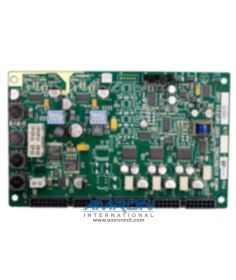 Amron Standard AMCOM II Two Diver Analog PC Card for 2820A Series CommunicatorsSKU: 570-1008-23SHIP NOW$565.00
 -
-
-
-
-
-
-

-
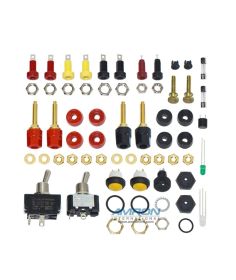 Amron Field Spares Kit for 28XXA-XX Communicators w/ Internal Power SupplySKU: 28XXA-FS-02SHIP NOW$180.00