



Instant Quotes Tutorial
Amron’s website Quote functionality allows you to save time and create your own custom quote online at any time.
Getting an online quote is fast and easy! Just add the items you need to your Shopping Cart and Submit your Quote request. You will receive an immediate email with your quote attached.
Please follow these easy steps to use this feature on our site.
Additional Questions about Amron Online Quotes? Visit our Frequently Asked Questions or feel free to Contact Us.
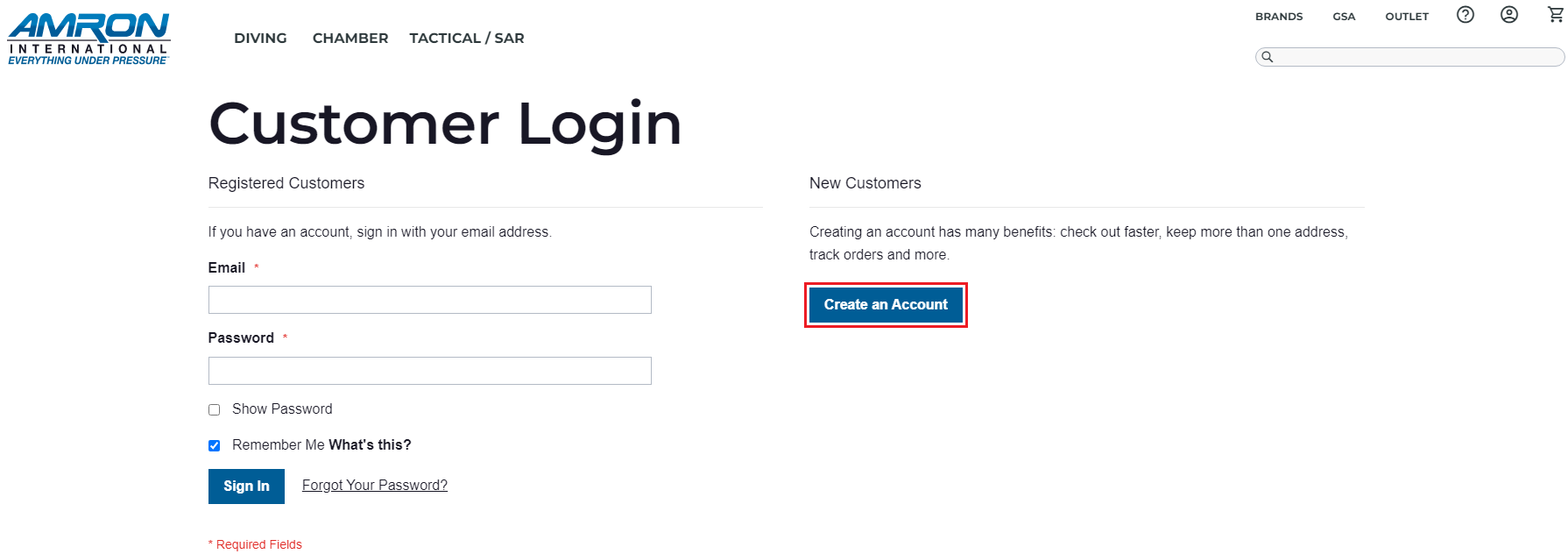
1. Create an Account on Amron’s website and Log In.
Note: If you are a Distributor or Reseller please contact your Amron Sales Representative to set up your online account.

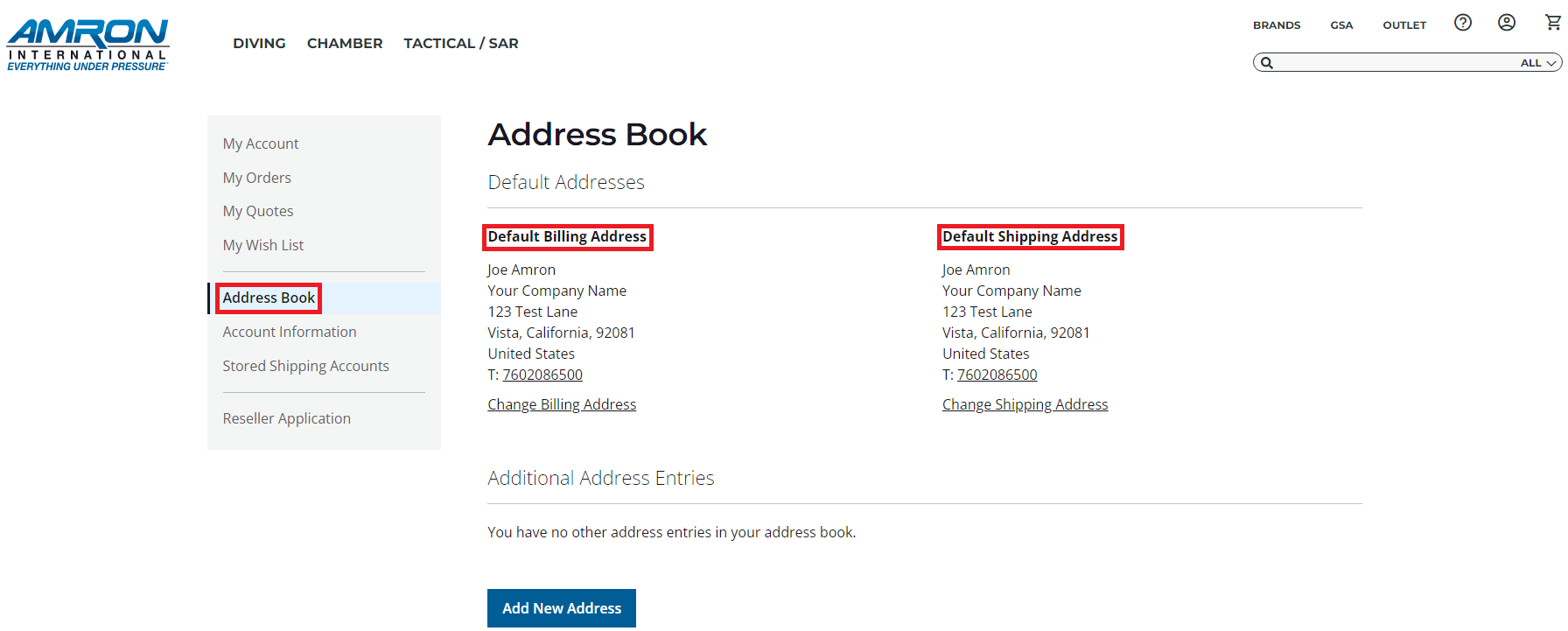
2. Fill out your Account information including your Default Billing and Shipping Addresses. This information will be included in your quote.
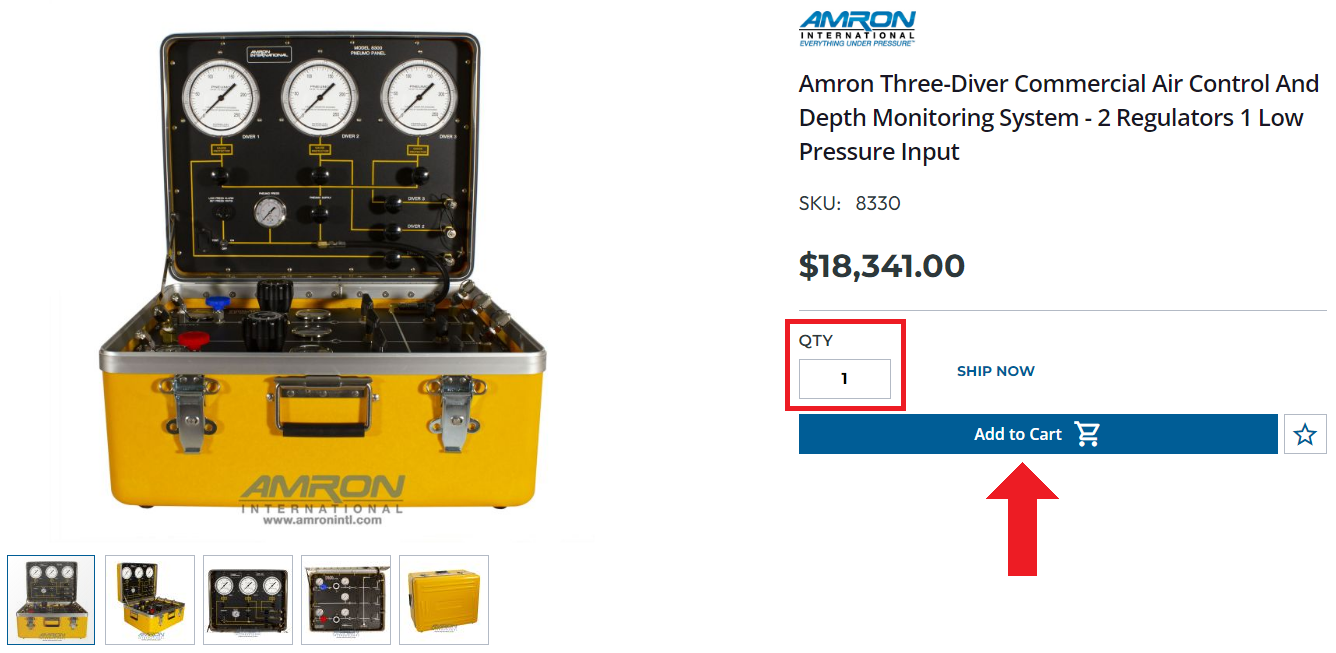
3. Browse through our website to find the products you want to include in your quote and add them to your Shopping Cart in the quantities you need.
4. Once you have all the items in your Shopping Cart with the right quantities, click on “Estimate Shipping and Tax” to calculate the shipping cost and tax if applicable. Then, select the Shipping Method you want to use. Shipping and Tax will be added to your price proposal.
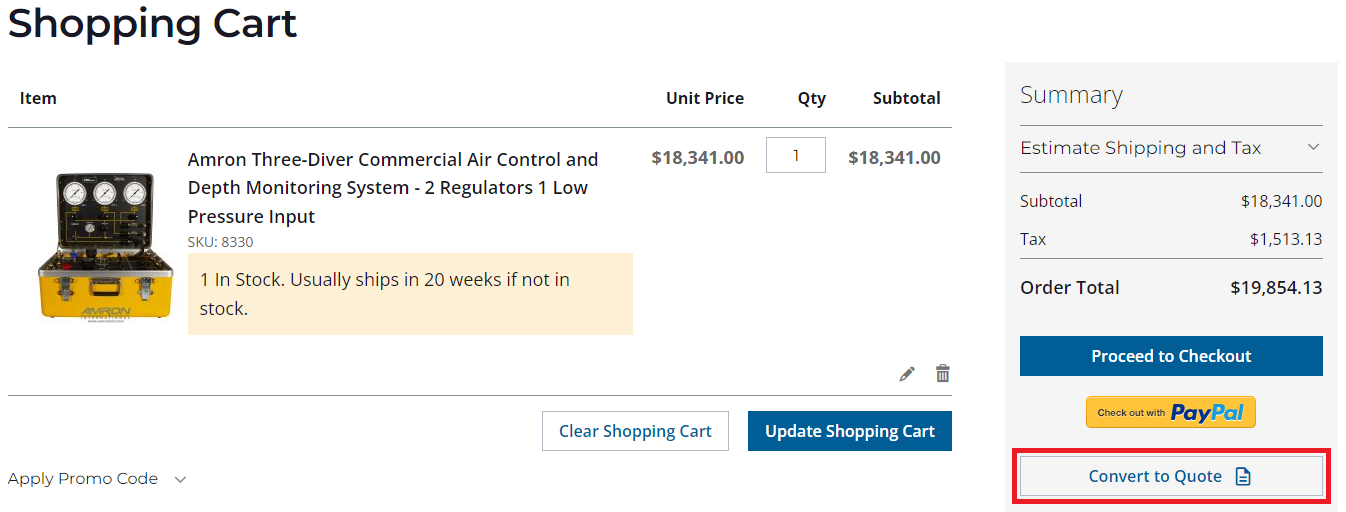
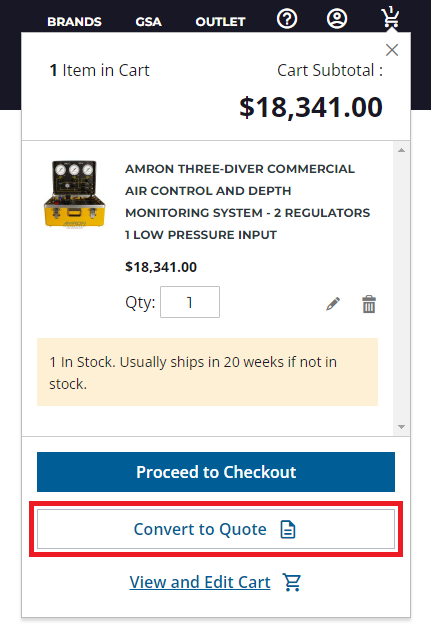
4. Once you have all the items in your Shopping Cart with the right quantities, click on “Convert to Quote” and select "OK" on the dropdown.
This can be done from either the cart page or from the mini cart.
5. Click on “Convert to Quote” to go to the Quote Page where you will be able to review the information one last time.
5. Once you have all the items moved into your Quote, select the Shipping Method you want to use. Shipping and Tax will be added to your price proposal.
Note: The Default Shipping Address will be used to estimate your shipping cost. If you would like to use a different address go to “My Account” to update your Default Shipping Address.
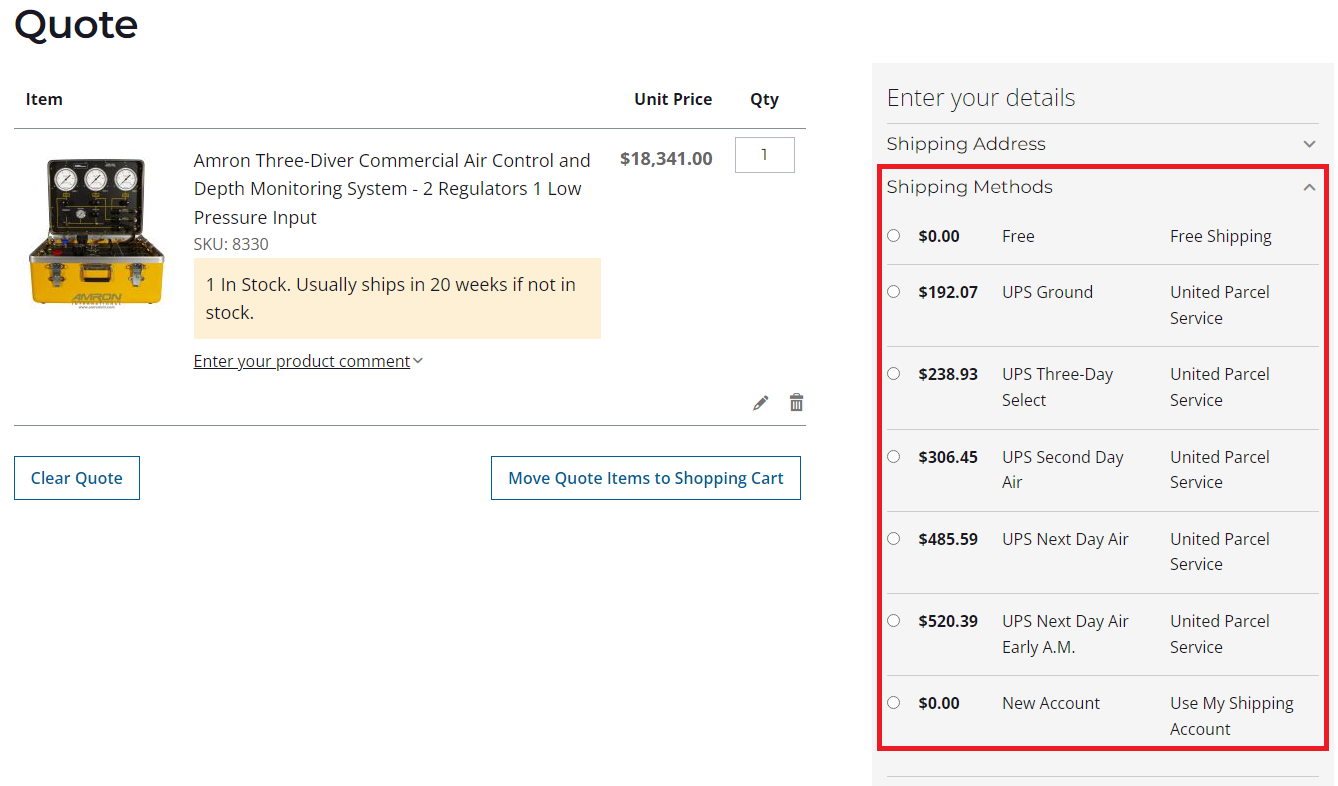
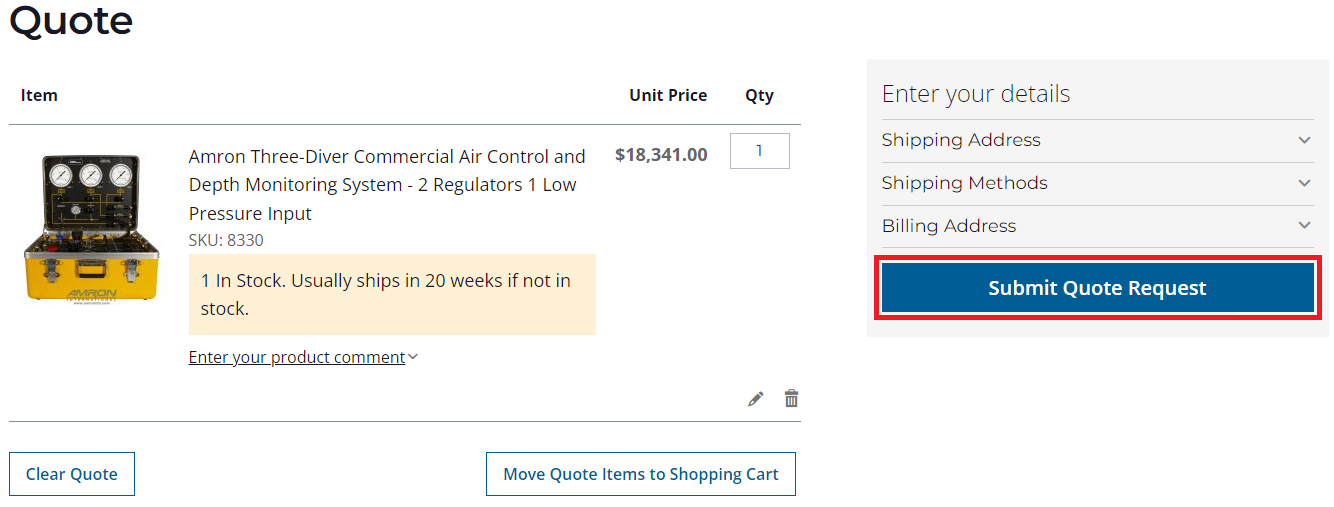
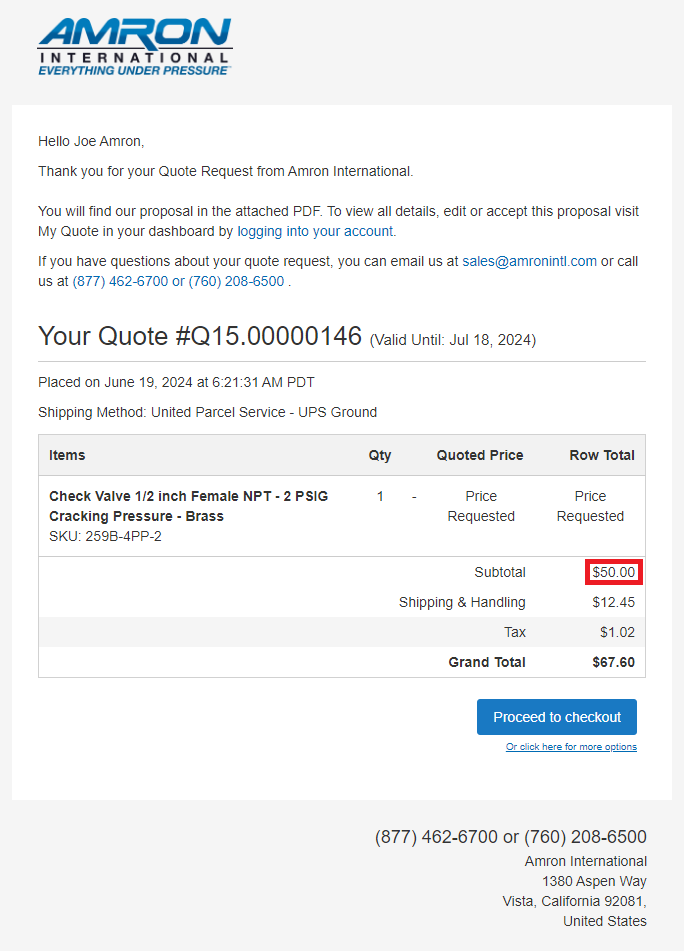
6. Click on “Submit Quote Request” to receive an immediate email with your official Price Proposal attached.
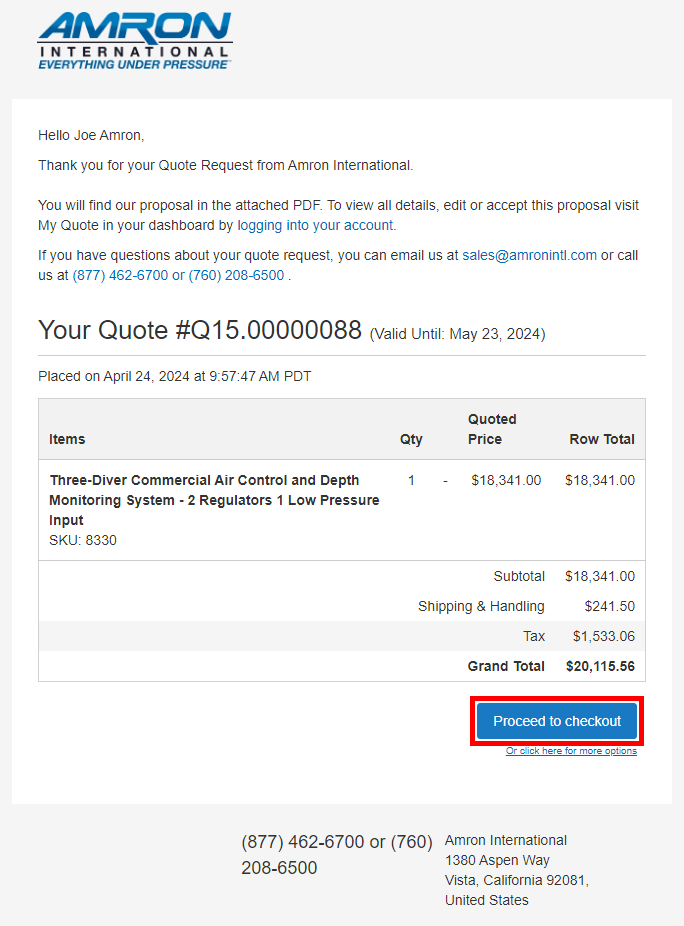
7. You can convert your Quote to an Order by clicking on the “Proceed To Checkout” option at the bottom of the email with your quote.
Frequently Asked Questions
A. Who can use Amron’s website Quote Functionality?
Anyone can use Amron’s Quote Functionality, you only need to have an Account on Amron’s website. If you don’t have an account yet please create one.
Note: If you are a Distributor or Reseller please contact your Amron Sales Representative to set up your online account.
B. Where can I access my previous online Quotes?
To access previous online Quotes just Log in to your Account and go to My Account - My Quotes.
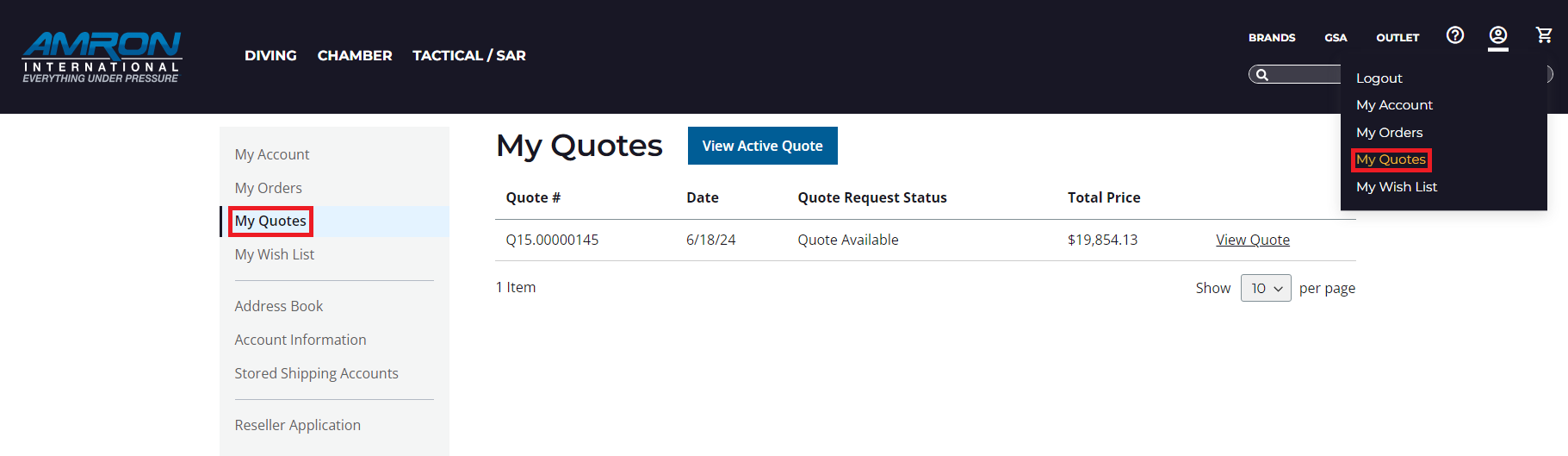
C. How do I access my current Quote I am working on if I've lost my place and haven't finished submitting it yet?
To access your current Quote just Go to My Account - My Quotes, and select “View Active Quote”.
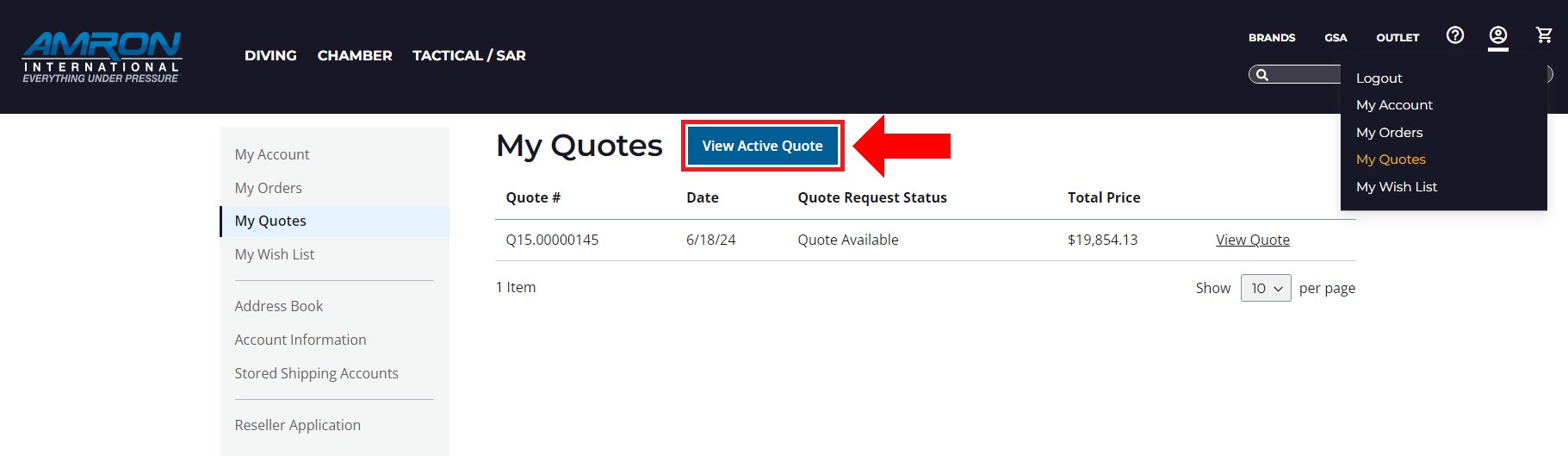
D. I already submitted a quote but what if I want to modify the quantity that was quoted or add additional items?
You can always edit and resubmit an existing quote. Follow these steps to learn how and get an updated quote.
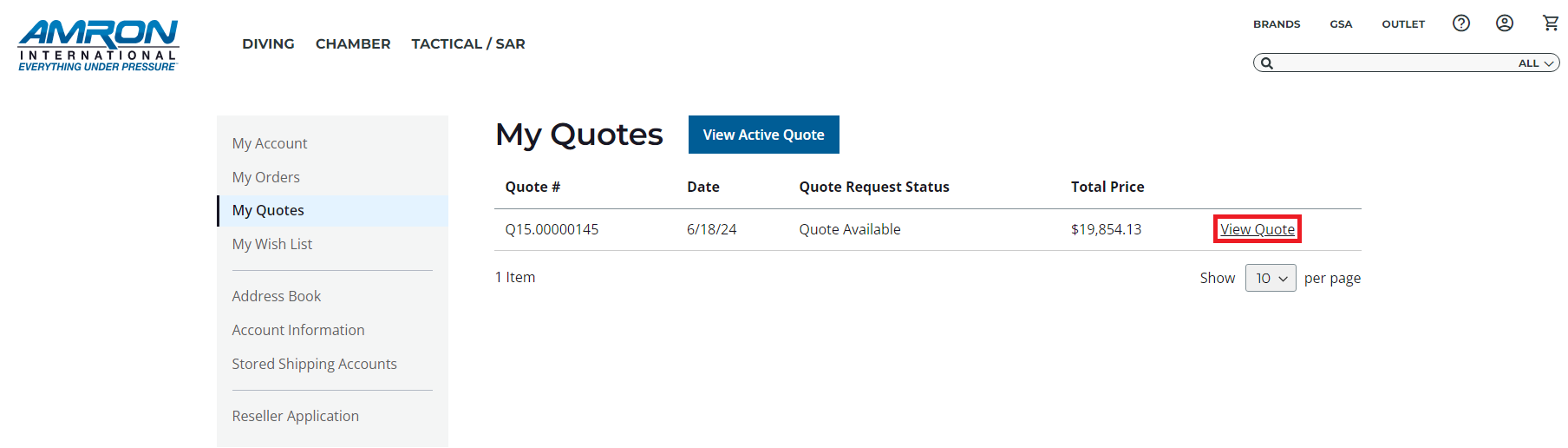
Go to My Account - My Quotes, find the Quote and click on “View Quote”
Here you will be able to access your Quote details. Click "Edit and Resubmit" to get a new proposal.
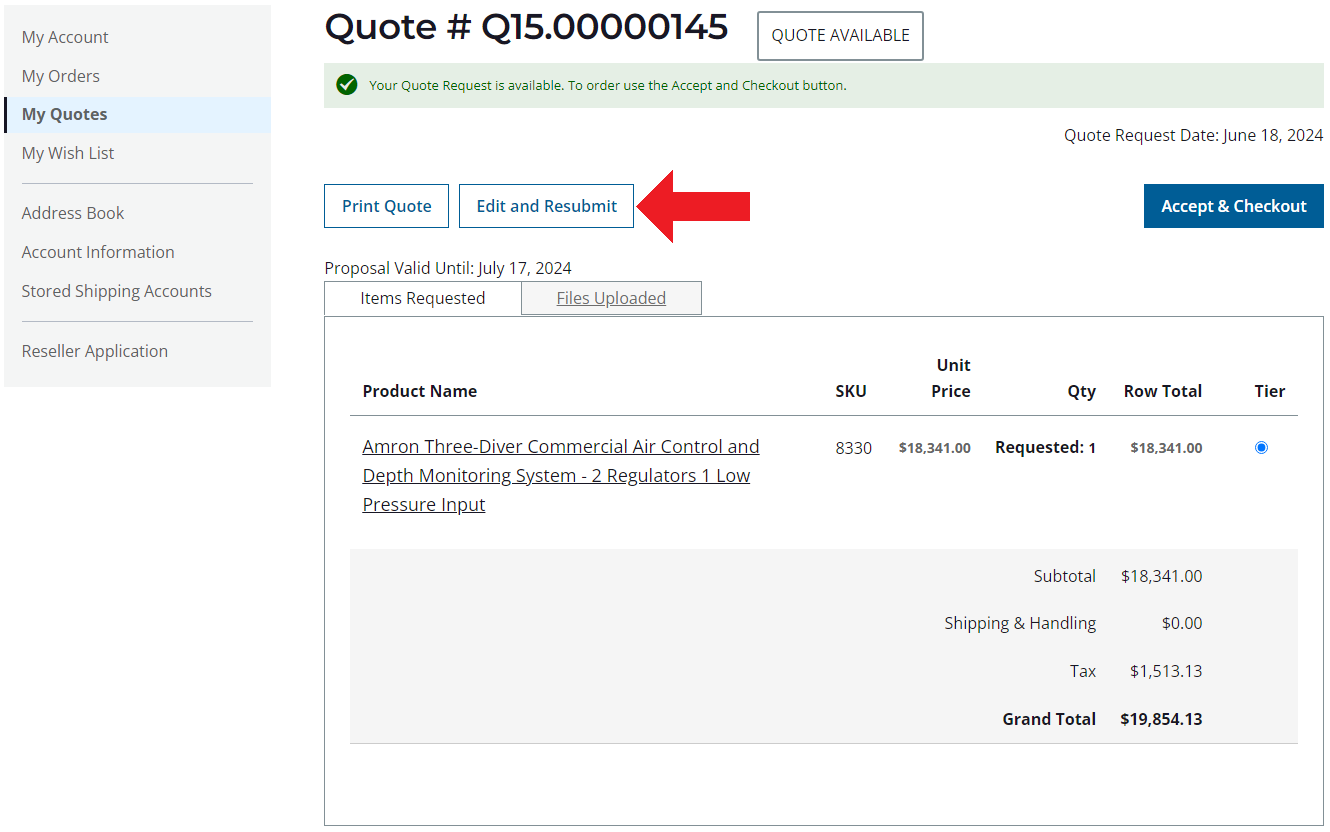
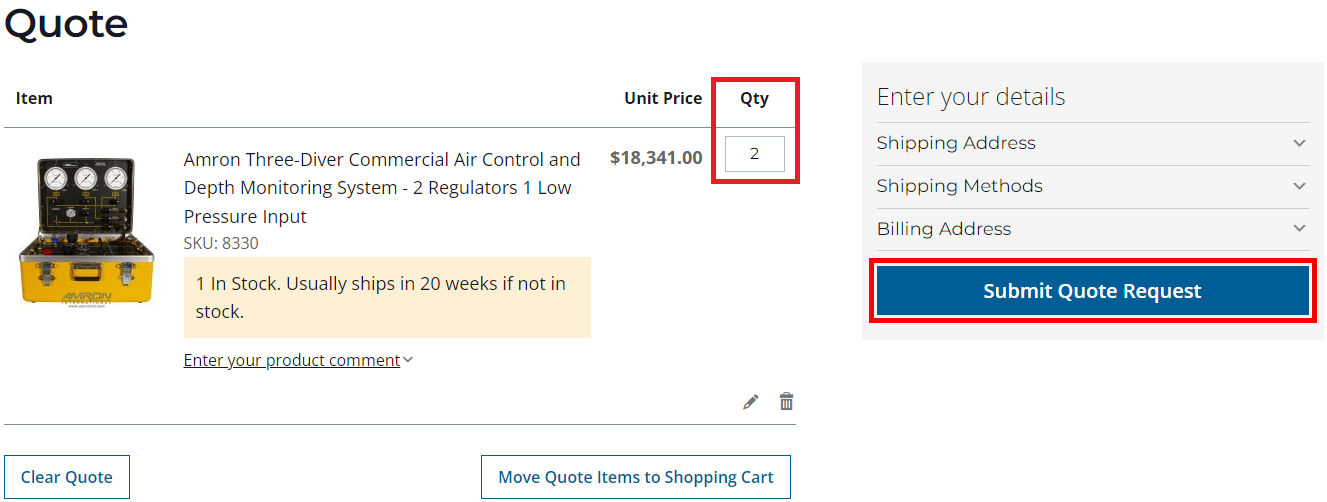
Once you are on the Quote page, if you just want to modify the quote's quantities, change the number under "Qty" then click on “Submit Quote Request”.
You will receive a new price proposal by email.
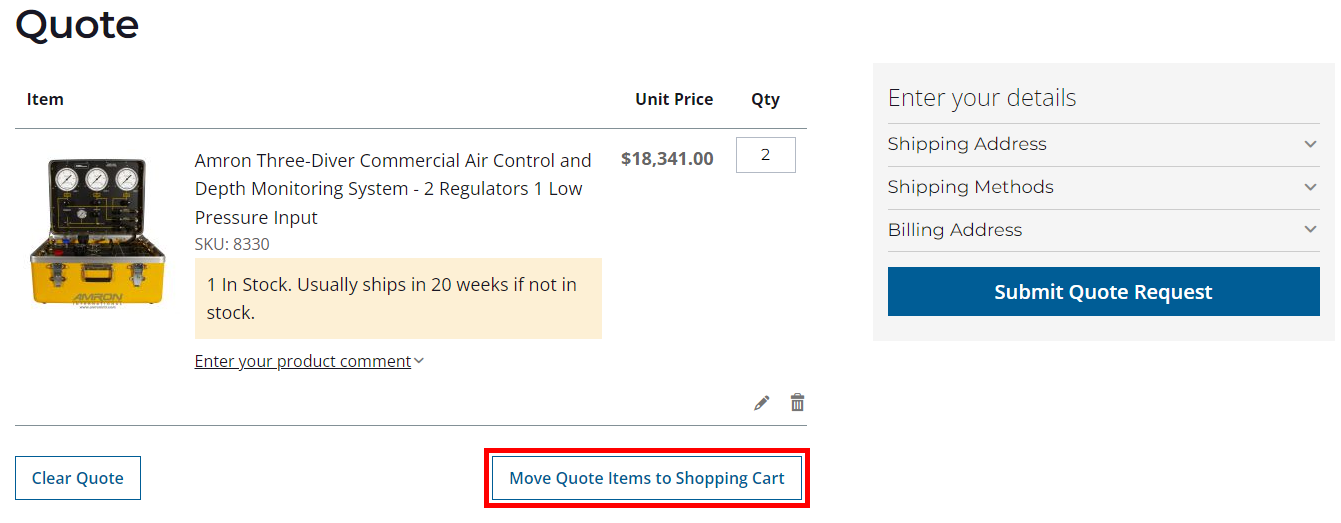
If you want to add additional items to your Quote or update addresses, move the items back to the Shopping Cart, update what is necessary, and submit your request again.
E. My online quote has already expired, how can I get an updated quote?
Amron quotes are valid for 30 days, if you have an expired quote, you can resubmit it and get a new updated quote.
Go to My Account – My Quotes, find the expired Quote and click on “View Quote”
Then, on the Quote view, click on the “Edit and Resubmit" option on the top right of your screen, you will be directed to the Quote Page where you can resubmit your quote by clicking on “Submit Quote Request”.
F. How do "Request Price" products work?
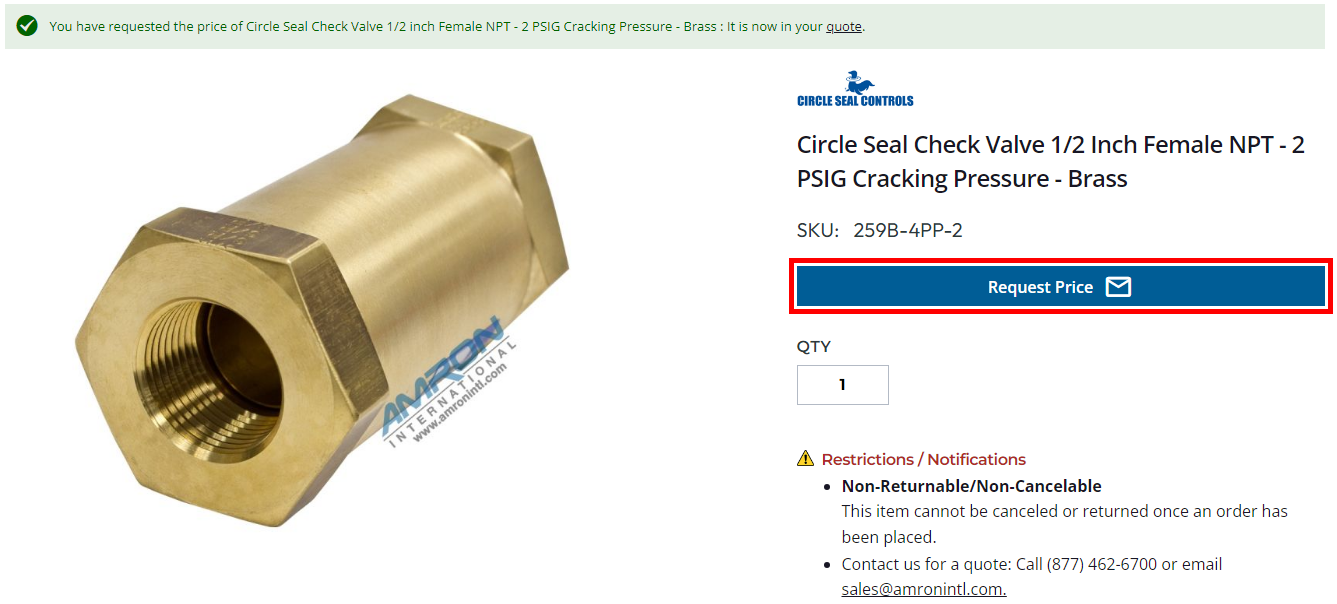
You can easily request pricing for items that have "Request Price" on the product page by simply selecting the "Request Price" button.
These products will be added to your quote and you can follow the normal quote process to request a price.
Once you have submitted your quote you will be able to see it under My Account - My Quotes.
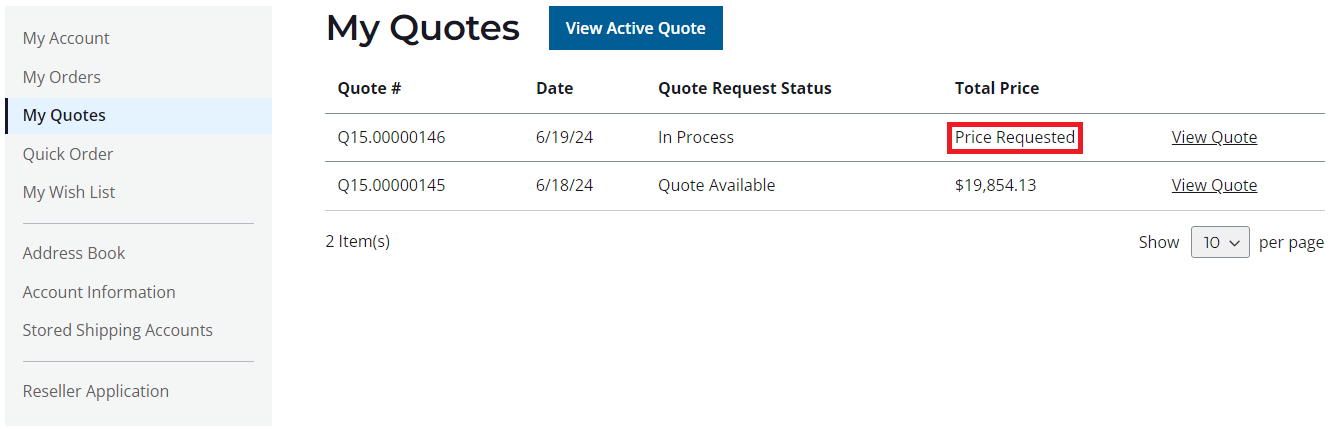
A salesperson will review it and give a locked in price for 30 days which will show on a proposal email once the salesperson enters a price.
G. Is the Availability information included on my quote accurate?
Availability information on our website is real-time basis and adjusted continuously. Availability is subject to prior sales. The information included in your quote is the availability at the time the quote was requested and it might vary if time elapses until you place the order.
H. Why do I need to “Estimate Shipping and Tax” before submitting my Quote request?
We want our online Quotes to be accurate. To submit a Quote request using our online Quote functionality, you must Estimate Shipping and Tax so it is included in your quote.
Please note that for extremely heavy items that will require special shipping, Amron’s website might not be able to provide a freight estimate online. If that’s the case please contact your Sales Representative or please call us at (760) 208-6500, Monday – Friday, 8am. – 5pm. Pacific Time Zone. You can also send us inquires by filling out our online Contact form. Please visit Contact Us.
I. What if I can’t find an item I need on the website?
If you can’t find what you are looking for, please call us at (760) 208-6500, Monday – Friday, 8am. – 5pm. Pacific Time Zone. You can also send us inquires by filling out our online Contact form. Please visit Contact Us.